
Practical path
How to Fix P1000 on a Ford
Fixing P1000 means getting required readiness monitors to complete — or finding the fault that prevents them from completing. It is not a one-part replacement recipe.

Step sequence
- 1
Scan: P1000 plus pending, stored, and permanent codes. Note MIL status.
- 2
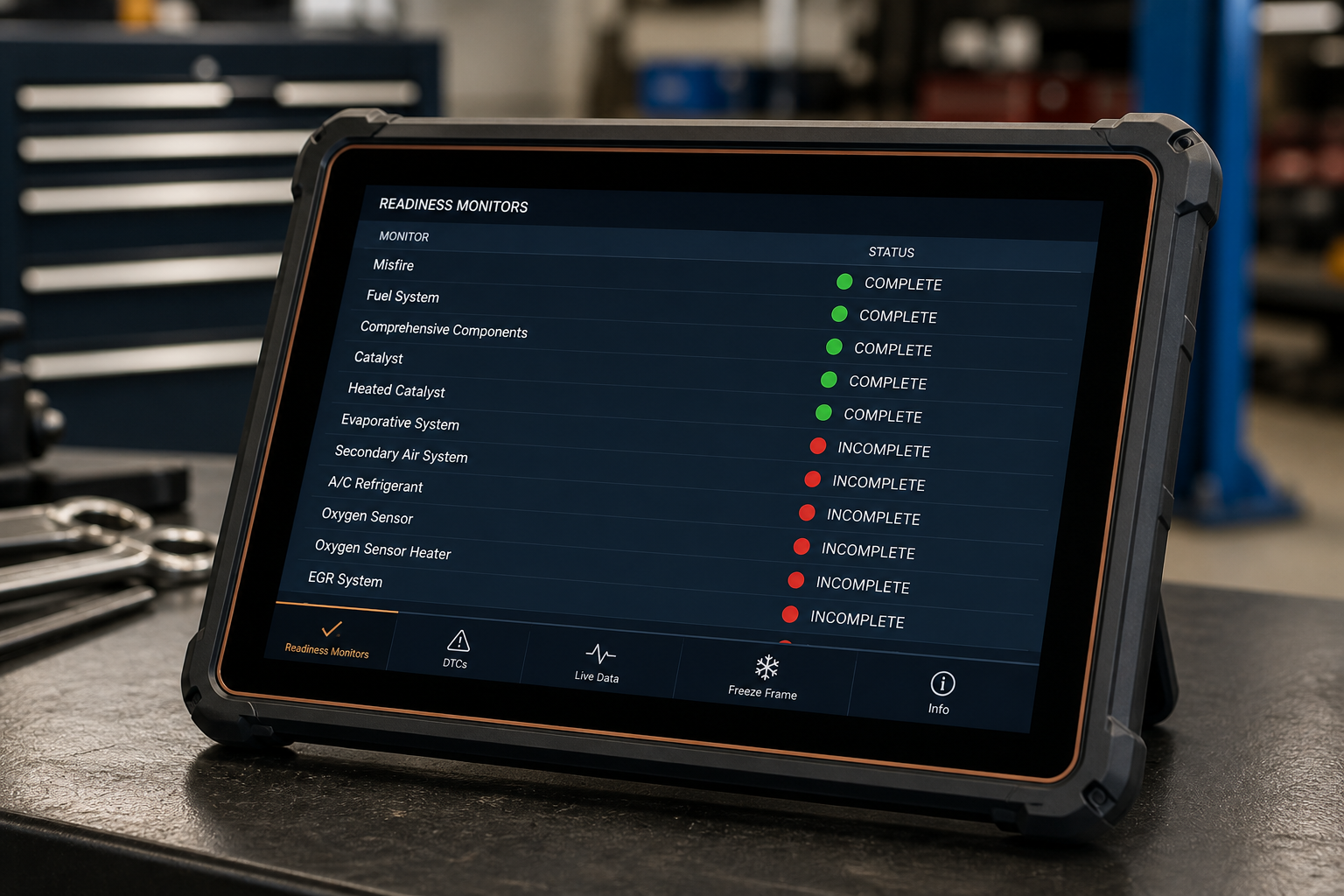
Read every readiness monitor: complete, incomplete, or not supported.
- 3
If a reset just happened and no other DTCs exist, drive mixed conditions and recheck — do not invent a universal mileage.
- 4
If a monitor stays incomplete, identify that monitor (often EVAP, catalyst, or O2-related) and any companion code.
- 5
Use year/engine service information when enable conditions are not obvious.
- 6
Stop repeating code clears or battery disconnects; they restart the clock.
What to do next
P1000 decision flow
Accessible step flow — not an image-only diagram. It is a starting path, not a guaranteed diagnosis.
Start
P1000 appears on a Ford scan.
Was the battery disconnected, or were codes recently cleared / was the PCM reset?
Yes
- Check readiness monitors and any other DTCs.
- Use mixed, model-appropriate driving — not a universal mileage claim.
- Recheck monitors. See after battery disconnect or after clearing codes.
No
- Check pending, stored, and permanent DTCs besides P1000.
- Identify which monitor remains incomplete.
- Verify enabling conditions and diagnose any blocking fault. See P1000 won’t clear.

What not to do
These habits delay readiness
Related pages
FAQ
A tool can erase codes and reset readiness. That usually makes monitors not ready again. Permanent clearance comes from completing required tests, not from another erase.

This site provides general diagnostic information. Vehicle procedures vary by model, year, engine, and calibration. Follow Ford service information and local regulations, and use a qualified technician when diagnosis or repair exceeds your experience.